


Retail operations research & mathematical optimization, powered by AI.
Know what’s holding your stores back. Know what to do next.
PerformHub connects your sales, stock, online store, and people data to explain performance, recommend actions, and track what happens after your team acts.
Arabic and English. Connected to the systems you already use.
Demo data · illustrative workflow
- Step 1, what happened: at Harbor Mall a best-selling style sold 18 pieces in 28 days, and sizes 32 and 34 are at zero. Harbor Mall is behind today's target.
- Step 2, why: traffic and conversion are normal. The gap is stock: the best seller is out of stock in sizes 32 and 34. Joe explains this in a sample answer.
- Step 3, what to do: the transfer rules suggest moving 7 pieces, 4 in size 32 and 3 in size 34, from Central Square to Harbor Mall. The sender keeps its minimum. The draft waits for a person to approve it.
- Step 4, did it work: Harbor Mall has 4 in size 32 and 3 in size 34 again. A 7-day review tracks availability, sales and stock cover. No result is shown before the review has its data.
The decision engine
Every option checked against your rules
Before any suggestion, PerformHub lays out the options for that decision, drops the ones that break your rules and constraints, and ranks the rest by clear rules and expected effect. You get the top one with its reasons. A mathematical optimiser for stock transfers is in testing (shadow mode).
What changes from one option to the next?
Store-to-store transfers
Which style, from which store to which, which size, how many
Reorder
The quantity, its split across sizes, and the date it is needed
Markdowns and promotions
Which products, how deep, which channel and stores
Targets
The target split by store and by day, with the total held fixed
New collection allocation
How many pieces of each size for each store
From many options to one suggestion
IllustrationIllustration: a wide funnel of scattered dots, one for each option. At your constraints many dots drop out; the valid ones are ranked by expected effect and narrow to one glowing point, the top suggestion, shown to you as one suggestion.
How the transfer optimiser in testing improves its plan
In testing (shadow mode)IllustrationIllustration of the transfer optimiser, which is in testing (shadow mode): a rising staircase line. Each step is a better plan found as more combinations are tried, and the line levels off at the best plan found. Its plans are not used for any decision yet.
What sets us apart
Not an ordinary AI app
PerformHub is operations research for retail: it computes each suggestion from your data within your rules, then AI explains it in plain words. A mathematical optimiser for stock transfers is in testing (shadow mode).
An ordinary AI app
Generates an answer
- An answer generated from the question's text
- The answer can differ from one time to the next
- Doesn't know your constraints or your rules
- Stops at advice
Diagram: the options that respect every rule are drawn as an area bounded by the rule lines, and an arrow points to the best option inside that area.
- 03AIExplains the result and answers your questions
- 02Operations research: rules, forecasts and exact allocationComputes each suggestion. A transfer optimiser is in testing (shadow mode).
- 01Your checked dataPoint of sale, online store and foot flow
PerformHub
Computes the decision
- The decision is computed on your data, not guessed
- The same number every time, on every screen
- Your constraints and rules are part of the calculation
- Every completed action is measured before and after
Rules built into the calculations
- Every discounted product shows its margin before you approve
- Reorder size splits add up to the order quantity
- Approved transfers in Actions reserve their pieces
- In a top-down plan, store targets add up to the exact total
- New stores aren't used as transfer donors; best sellers aren't marked down automatically
- Short warehouse stock is shared fairly across stores
See the evidence behind each recommendation.
Every suggestion shows the figures and the rule behind it, calculated from your own data. These are real screens from our demo brand.
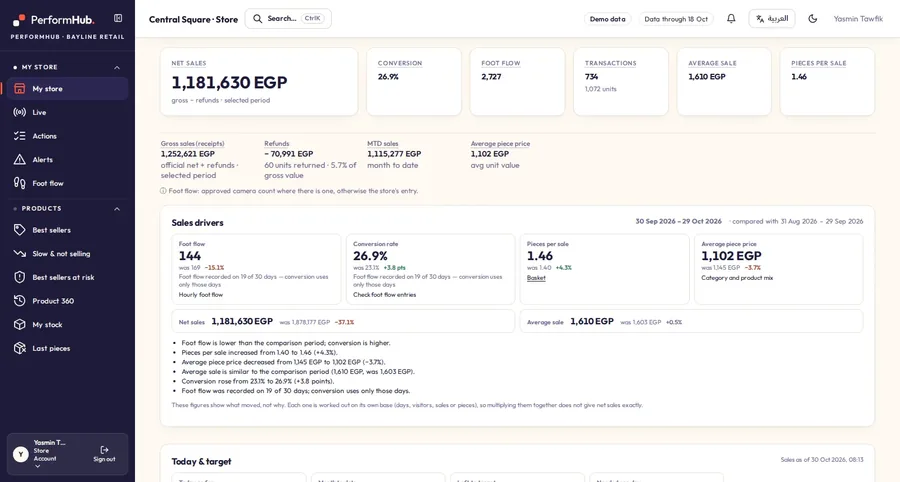
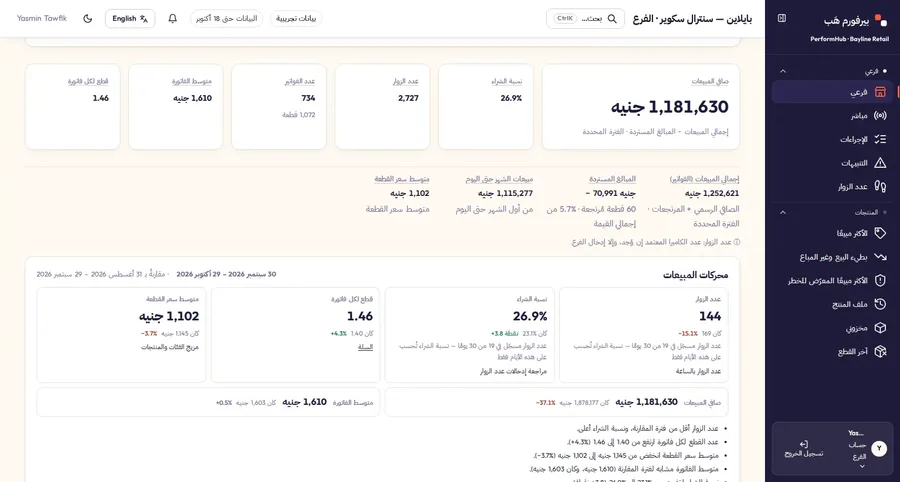
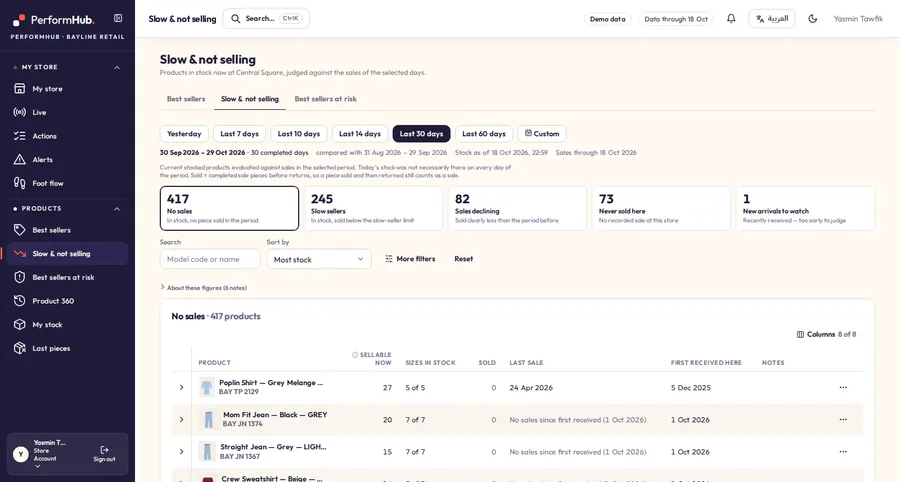
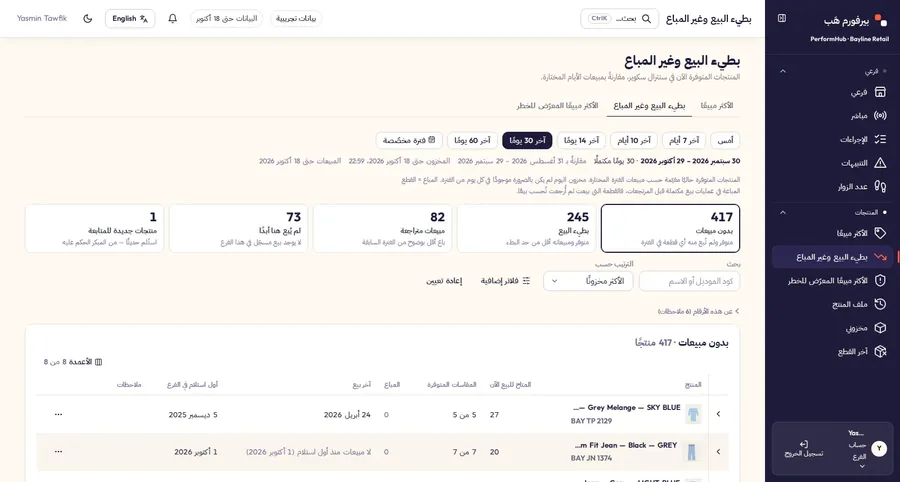
Behind every recommendation
- The receipts and stock levels it was calculated from
- The rule that produced it, in plain words
- The date your data runs to
- Missing data marked as missing, never as zero
Connections
Where does your business need attention?
Best sellers, missing sizes
Find stock gaps and review where available pieces could move.
See an example 02A branch falling behind
Compare traffic, conversion, and basket value to understand the gap.
Stores and reports 03Targets spread across spreadsheets
Build one plan, assign responsibility, and follow progress.
Targets and planningFrom a problem to a plan your team can follow.
One example, start to finish. The figures are demo data, and the button only changes this page.
Demo data · illustrative workflow
- 1
Find the issue
Harbor Mall has run out of sizes 32 and 34 in a style that sold 18 pieces in the last 28 days.
- 2
Inspect the evidence
Central Square holds the same style with nine weeks of cover. Stock before any move:
Stock by store and size before the transfer, demo data Store Size 32 Size 34 Harbor Mall 0 0 Central Square 12 10 Total 12 10 - 3
Review the action
The transfer rules suggest moving 4 pieces in size 32 and 3 in size 34. This example assumes Central Square can spare these pieces under the illustrated rules.
Stock by store and size after the transfer, demo data Store Change Size 32 Size 34 Harbor Mall receive 4 + 3 4 3 Central Square send 4 + 3 8 7 Total 7 pieces move 12 10 Draft: waiting for a person to approve
- 4
Follow the result
Transfer completed in this example · seven-day review pending
After seven days the review covers:
- Availability of sizes 32 and 34 at Harbor Mall
- Sales of the style in both stores
- Stock cover in both stores
No result is shown before the review has its data.
One connected view of your business.
Stores and reports
Understand each branch’s performance and what needs attention.
Products and stock
Review demand, size gaps, stock cover, and transfer recommendations.
Online store
Read your Shopify performance alongside your stores.
Targets and planning
Build scenarios and follow one approved plan.
Joe and market intelligence
Ask questions and review the competitors you choose to follow.
People and HR
Manage people, time, requests, and pay with appropriate permissions.
Start with the systems you already use.
- 1
Connect or import
Agree the data sources and permissions.
- 2
Check the figures
Review history, coverage, and any missing data.
- 3
Review and act
Give the right people their views, plans, and follow-ups.
Your data, with clear boundaries.
PerformHub support opens your data only with your administrator's approval, and every access is logged.
- Each company has its own data boundary.
- People see the stores and information their permissions allow.
- Recommendations follow the review and approval rules.
What teams ask before they start.
What can Joe do?
Joe answers questions about your business in Arabic or English, beside every screen. He explains the page you are on, builds tables, charts and reports, and drafts plans for a person to approve. The figures he quotes are calculated by the product from your data, he says when the data cannot answer, and he sees only the stores you may see.
Which systems can we connect?
Today: Retail Pro 9 through a read-only connection, Shopify, attendance punch files, and Excel or CSV files for targets, costs, stock counts and people data. If you use another system, name it in your demo request and we will tell you what is possible.
Do I need to prepare data before the first demo?
No. A first walkthrough needs nothing from you. A personalised session uses a dataset we agree with you once access is set up.
Can managers see other branches or salaries?
Only what their permissions allow. Each account is given the stores it may see, checked on the server, and salaries need a separate pay right. Views of pay are logged.
How is pricing determined?
Price is set per company, by the number of stores and the modules you turn on. AI runs on your company's own AI provider account, and that provider bills you for it directly. We quote each company on request.
How long does setup take?
It depends on your connections, how much history you bring and the scope you agree. We talk it through on the demo call, for your own case.
See what PerformHub could help you decide.
Tell us about your business. We'll arrange a walkthrough and discuss the questions that matter to your team.
- We replyA person writes back within one working day to agree a time.
- The demoThirty minutes on your own data: your stores, your stock and your questions.A personalised session uses a dataset we agree once access is set up. A first walkthrough needs nothing from you.
- If you go aheadYou fill in the online setup form, we load your history, and your managers get their first morning brief.
Or write to info@performhub.ai. We reply within one working day.